
Comparison
Yearfully vs Google Calendar’s year view
Google Calendar is built for days and weeks; its year view shows the months, but not your plans laid out across the year. Yearfully is built for the year: every day on one page with your events drawn in. The two work together: connect a Yearfully calendar to Google Calendar and keep using both.
Open Yearfully, free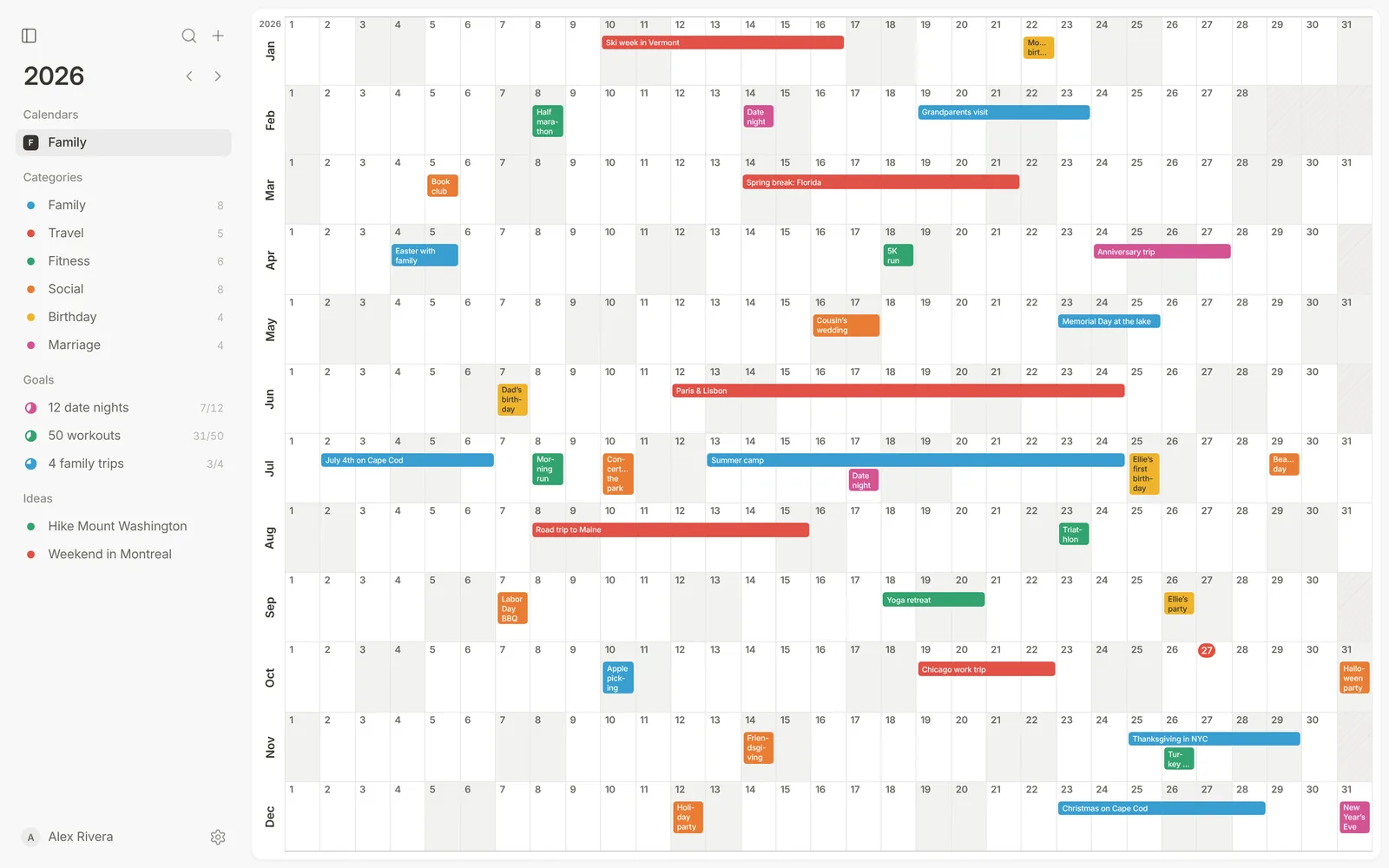
| Yearfully | Google Calendar | |
|---|---|---|
| Main view | The whole year on one page | Day, week and month |
| Multi-day trips in the year view | Drawn as labeled bars | Not drawn across the year |
| Goals that count events | Built in | Not built in |
| Ideas without a date | Built in | Not built in |
| Meeting scheduling and invites | Not the focus | Built in |
| Price | Free | Free |
When to use which
Use Google Calendar for meetings, invites and the next few days. Use Yearfully to plan the year: trips, family events, goals and what’s coming months from now.
Using both together
Connect a Yearfully calendar to a Google calendar you own. Eligible connections can sync both ways, so events added in either place show up in both.
Questions
- Does Google Calendar have a year view?
- Yes, on the web, but it shows the months rather than your events across the year. Yearfully draws your events into a one-page year.
- Can Yearfully sync with Google Calendar?
- Yes. Connect a Yearfully calendar to a Google calendar you own, with two-way sync for eligible calendars.